Pi Video Player - Media Player
- 4.3
- Rating
- 10.00M
- Installs
- Free
- Price

 Analysis by App-foxy
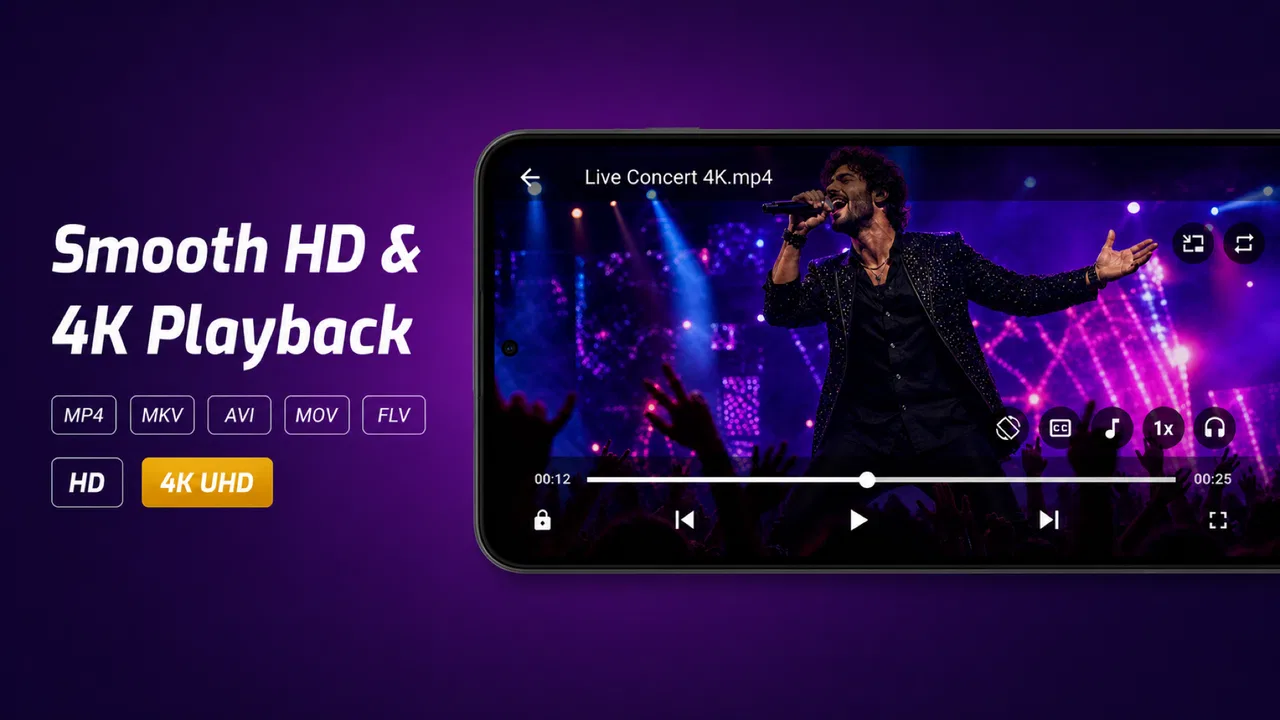
I like video players that stay out of the way. When I open one, I want to find a saved video quickly, start playback without unnecessary setup, and keep watching when the internet is unavailable. Pi Video Player - Media Player is built around that simple idea. It is a free Android app from 100Pi Labs in the Video Players & Editors category, with support for offline playback, MP4 files, and subtitles.
After spending time with it, I see the appeal clearly: this is a practical local-media tool rather than a service that tries to become your entire entertainment system. It makes the most sense for people who keep videos on their phone or tablet, download content for travel, or need subtitles without relying on a streaming connection. Its average rating of 4.2 from around 42 thousand ratings and more than 10 million installs also suggest that it has found a broad audience.
That popularity should not be mistaken for universal suitability. Pi Video Player is focused, and that focus is both its strength and its limitation. If you mainly watch online services, want synchronized libraries across several devices, or expect a full desktop-style media center, another kind of app may fit better. If your priority is opening local videos quickly, this player deserves a closer look.
You May Also Like

 Blood Strike: 2.5 Anniversary
Blood Strike’s Loadouts Turn Every Drop Into a Tactical Gamble
A close look at Blood Strike’s custom loadouts: how fast access to signature weapons reshapes its battle royale rhythm, rewards preparation, and narrows the gap between fights.

 Pandora - Music & Podcasts
Pandora’s Music Is Easy to Start, but Harder to Recover
Pandora’s strength is its low-effort path from a seed to a station. Its weak spot is how much confidence it asks you to place in connection, setup, and quiet recovery.

 8 Ball Pool
 Is Built on Rivalries, Rematches, and Routine
A close look at the rivalries, rematches, shared routines, and unanswered safety questions that turn a quick pool match into a persistent mobile community.

 Samsung Music
’s Quiet Strength Is Playing What You Already Own
Its reach comes less from spectacle than from dependable access to a personal library. That simplicity is both the app’s strongest retention engine and its ceiling.

 AccuWeather: Weather Radar
AccuWeather Review: A Quick, Clear Forecast for Everyday Decisions
For everyday plans, the best forecast is the one you can understand quickly. AccuWeather makes rain timing, radar, and local conditions easy to act on, with a few trade-offs.

 Hill Climb Racing
Why Hill Climb Racing Still Turns Crashes Into One More Run
A tiny car, a bumpy hill and one more upgrade: Hill Climb Racing keeps resurfacing because its simple chaos makes every near-miss feel personal.
More From Our News Desk



How Pi Video Player feels during everyday playback
I find that Pi Video Player is easiest to judge by watching something I already have, rather than by browsing around for features. A short test clip can show whether its local-playback approach fits your routine and gives you a low-stakes way to check subtitles before depending on them. That first impression also makes it easier to decide how much preparation your offline library needs.
Speed expectations when opening local videos
The first thing I notice with a local video player is not a flashy design but the time between tapping a file and seeing the picture. Pi Video Player feels designed for that direct path. Its store summary emphasizes offline video playback, subtitle support, and MP4 handling, so the app’s role is easy to understand: point it toward media already available on the device and start watching.
That approach is useful when I am not connected to a reliable network. A downloaded film on a train, a lesson saved before a flight, or a personal clip recorded earlier does not need buffering from a remote service. The app’s value comes from removing that dependency. It also avoids the distraction of browsing a large online catalog when I already know which file I want.
There is an important distinction here. An offline player can feel fast because it is not waiting for a server, but the actual experience still depends on the phone, the file, and the storage location. A large high-quality video can take longer to become responsive than a short clip, and an older device may handle demanding media less comfortably. I would therefore judge Pi Video Player as a convenient local playback layer, not as a guarantee that every file will behave identically.
For a smoother routine, I would keep frequently watched videos in an easy-to-find folder and avoid filling the device completely. This is not a special requirement of the app so much as sensible housekeeping for any offline player. It reduces the time spent searching and leaves the phone with room to work while playing media.
Why subtitle support matters more than it first appears
Subtitle support is one of the most useful parts of the package. I use subtitles not only for foreign-language content but also when dialogue is quiet, background noise is strong, or I am watching without raising the volume. A player that handles subtitles locally is especially handy for downloaded files, because I can watch the same material away from a network connection.
There is also a practical workflow advantage. If I prepare a video and its subtitle file before leaving home, I can test the combination in advance rather than discovering a problem halfway through a journey. I recommend checking that the video and subtitle files are named in a way that makes them easy to identify together. Clear file organization matters more with local players because the app is working with the media I provide, not a curated streaming library.
Subtitles are not a reason to assume every language, format, or styling option will behave perfectly. Compatibility can vary between files and devices. My advice is to test an important video before relying on it for a class, presentation, or long trip. That small check is more valuable than assuming a familiar subtitle extension will always appear exactly as expected.
Heavy-use moments: travel, study, and repeated viewing
Pi Video Player is at its most useful in situations where I need predictable access to files. Imagine preparing for a long coach journey: I save a few videos, place them where I can locate them, check the subtitles, and then watch without spending mobile data. The app is not doing anything complicated, but that simplicity is exactly what makes it suitable for the scenario.
It can also work well for study. A learner may keep recorded lessons, language practice, or reference clips on a phone and replay sections several times. Offline access removes the risk of a weak connection interrupting concentration. Subtitles can help with pronunciation practice or make technical speech easier to follow. For this use, the important benefit is control over files rather than access to a huge catalog.
Repeated viewing reveals a trade-off. A dedicated local player keeps the task focused, but it does not replace a broader library manager. If I want recommendations, profiles, cloud synchronization, or a watch history shared across devices, I would look toward a streaming platform or a media-center solution instead. Pi Video Player is better when I already have the content and want a straightforward way to play it.
Another demanding moment is switching between many files. A cluttered download folder can make any player feel slower, even if playback itself is fine. I get better results by grouping videos by purpose and removing files I no longer need. This is one of the less obvious lessons with an offline-first app: organization has a direct effect on perceived speed because finding the right file is part of the viewing experience.
Stability and recovery when something goes wrong
Reliability is not only about whether a video starts. It also includes what happens after I pause for a while, leave the app, rotate the device, or return to a file later. Pi Video Player’s focused design gives it a sensible role for these ordinary situations, but I would still treat recovery as something to test with the particular device and files I use most.
Local playback avoids one major source of interruption: network instability. There is no remote stream to reconnect to when I am watching an already stored video. That makes the app attractive for flights, underground travel, rural areas, and any place where signal quality changes from minute to minute. It also means that troubleshooting starts with the local file and device rather than with an internet connection.
When playback does not behave as expected, I would first check whether the file opens elsewhere, whether the storage is accessible, and whether the video is in a format the app handles comfortably. The advertised focus on MP4 makes that format the safest starting point. Testing a short section before transferring a large collection is a useful recovery strategy because it identifies trouble early.
For subtitles, I would keep the video and subtitle file together and use simple, matching names. If captions fail to appear, that arrangement makes it easier to diagnose whether the issue is file placement or compatibility. This is a small habit, but it saves time when preparing several videos for offline use.
I also prefer to update an app when a newer version is available, especially if I depend on it while traveling. Pi Video Player is currently listed as version 2.0.1.1_release_1. That version detail is useful when checking whether my installation matches the current release, although it should not be read as a promise that every phone will deliver the same experience.
Resource demands and the limits of the phone itself
A video player cannot be separated from the hardware underneath it. Screen resolution, file quality, storage speed, available memory, and the age of the operating system all influence how comfortable playback feels. Pi Video Player requires Android 6.0 or later, so it remains accessible to a wide range of Android devices, including some older phones and tablets.
That broad compatibility is helpful, but older support does not mean every demanding file will play equally well. A modest device may be perfectly comfortable with ordinary MP4 clips while struggling more with larger or more complex media. If a phone becomes warm or the battery falls quickly during long viewing sessions, I would consider lowering the file quality where possible, closing unnecessary apps, and keeping the device out of direct heat.
One advantage of local playback is that it avoids the constant network activity associated with streaming. That can make offline watching a sensible choice when battery life or mobile data matters. Still, decoding video and keeping the screen active remain substantial tasks. I would not describe any player as resource-free simply because it works offline.
Storage is another practical constraint. The app itself may be free, but the videos still occupy space. Before downloading a collection, I would check how much room remains and decide which files truly need to stay on the device. This is particularly important for people who use their phone for photos, recordings, and work documents as well as entertainment.
Who should choose it, and who should skip it
I would recommend Pi Video Player to someone who wants a simple offline video player with subtitle support, especially if that person already keeps MP4 videos on an Android phone or tablet. It is a good match for travelers, students, language learners, parents preparing children’s videos for a trip, and anyone who does not want streaming access to be part of the viewing plan.
It is also a reasonable choice for people using older Android hardware, since the minimum operating system is Android 6.0. The Everyone content rating makes it approachable for a general audience, although the suitability of any particular video still depends on the content stored by the user.
I would skip it if my main goal were online discovery. Someone who wants a subscription catalog, automatic recommendations, synchronized progress, or built-in access to cloud libraries will probably feel more at home in a streaming app. I would also look elsewhere if I needed a highly specialized media-center setup with extensive library management and a carefully connected home-theater workflow.
There is a middle ground for users who want both. Pi Video Player can handle local files while a streaming service handles online content. That combination may be more practical than forcing one app to do everything. The local player becomes the dependable option for downloaded or personally stored videos, while the streaming service remains responsible for discovery and synchronized viewing.
Free access, optional purchases, and the practical value
Pi Video Player is free to install, which makes it easy to try with a small selection of files before committing to a larger workflow. In-app purchases are listed at $2.99 per item. I would judge the value based on how often I watch local media: for occasional clips, the free starting point may be enough; for frequent offline viewing, paying for an optional item can be worthwhile if it removes a specific annoyance or adds something I regularly use.
I would not pay simply because an app has a large install base. The better test is personal: open the types of files I actually watch, check subtitle behavior, try returning to playback after leaving the app, and see whether navigation feels comfortable on my device. That short trial tells me more than popularity alone.
The developer, 100Pi Labs, has positioned the app around a clear everyday need rather than an elaborate media ecosystem. That makes the decision relatively straightforward. If the basic workflow fits, the app can be useful without demanding a complicated setup. If the workflow does not fit, optional purchases will not change the fact that I need a different category of tool.
My performance verdict after weighing the trade-offs
My overall impression is that Pi Video Player succeeds by keeping its purpose narrow. It is most convincing when I have a local MP4 file, want to watch it without internet access, and need subtitles available during playback. In those conditions, the app addresses a real problem with less friction than a streaming-first alternative.
Its perceived speed should be understood in context. Local playback can feel immediate because it avoids network waiting, but the phone and file still determine how demanding the experience is. Older hardware may need more patience with heavier media, and a disorganized storage folder can make the app feel less convenient even when playback is fine.
The biggest strength is dependable offline usefulness. The biggest limitation is that a focused player is not a complete media ecosystem. I would choose it for travel preparation, saved lessons, personal videos, and subtitle-based viewing. I would choose another option for cloud synchronization, online catalogs, recommendations, or advanced home-media management.
With an average rating of 4.2 and more than 10 million installs, it has clearly earned attention from a substantial Android audience. My recommendation is practical rather than enthusiastic for its own sake: try it with your real files before building your whole offline library around it. If it opens your videos comfortably and handles your subtitles as expected, Pi Video Player is a sensible free tool to keep installed.
FAQs for Pi Video Player - Media Player
01What features does Pi Video Player offer for media playback?
Pi Video Player provides a comprehensive suite of features for media playback, including support for multiple video formats, subtitle integration, and gesture controls for volume and brightness. Additionally, it offers a user-friendly interface with options for playlist creation and video streaming, making it a versatile choice for all your media needs.
02Is Pi Video Player compatible with all video formats?
Pi Video Player supports a wide range of video formats, including MP4, AVI, MKV, and more. This ensures that users can play almost any video file without needing additional codecs. However, for very obscure or proprietary formats, users might still need a dedicated converter or additional plugins.
03Does Pi Video Player support subtitle files?
Yes, Pi Video Player supports a variety of subtitle file types such as SRT, SUB, and more. Users can easily add subtitles to their videos and adjust the timing if needed. This feature is particularly useful for foreign language films and improves the overall viewing experience.
04Are there any in-app purchases or ads in Pi Video Player?
Pi Video Player is primarily a free app and is ad-supported. Users might encounter occasional ads during usage. However, there is an option for in-app purchases that allow users to remove ads and unlock additional premium features for an enhanced, uninterrupted experience.
05Can Pi Video Player stream videos from online sources?
Pi Video Player includes the capability to stream videos directly from online sources. Users can input video URLs and enjoy streaming without needing to download the content, provided they have a stable internet connection. This feature expands the app’s functionality beyond local media playback.
Pros
- Supports a wide range of video formats.
- Smooth playback with minimal buffering.
- User-friendly interface with easy navigation.
- Includes subtitle support for various languages.
- Customizable playback speed options.
Cons
- Ads can be intrusive during use.
- Limited advanced editing features.
- Occasional crashes on older devices.
- No built-in streaming service support.
- Some features locked behind paywall.

Pi Video Player - Media Player
Gallery